> For the complete documentation index, see [llms.txt](https://docs.apescreener.xyz/llms.txt). Markdown versions of documentation pages are available by appending `.md` to page URLs; this page is available as [Markdown](https://docs.apescreener.xyz/invest-smarter/discover.md).
# Discover
## Discover Module - Swipe Smarter, Not Harder
The **Discover module** is the ideal tool for finding new investment opportunities. This feature allows users to scan the market in a **clear, intuitive, and engaging way**.
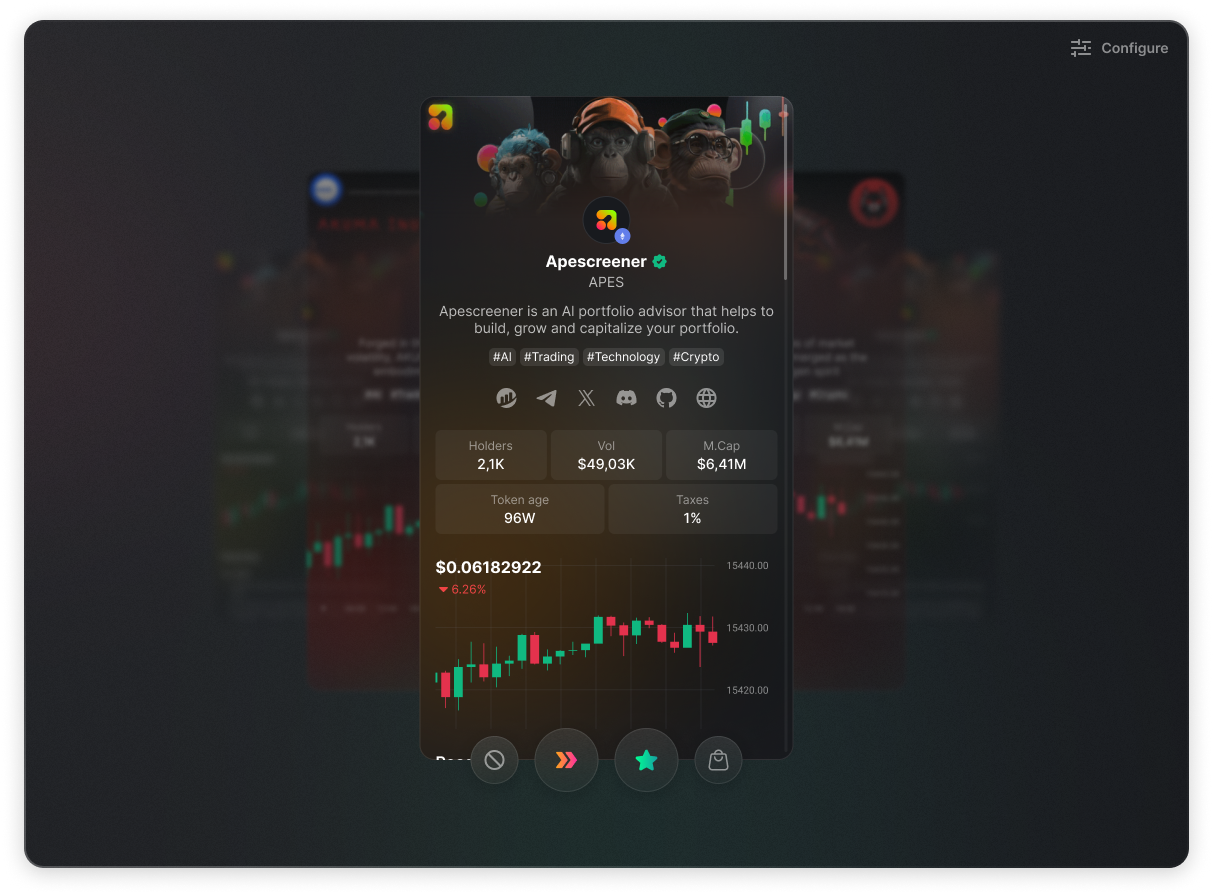
Inspired by the swipe-based interface of dating apps, users can browse through hundreds of crypto projects by swiping left or right. Each project appears as a card displaying all the essential information you need at a glance.
You can choose to **add a project to your watchlist by swiping right**, or **swipe left to hide it for 48 hours**.\
You can also **block a card permanently**, so it never appears in your feed again.
The more you use the module, the more refined your results become - leaving you only with what you truly need.
One of the biggest strengths of Discover is its advanced filtering system. Unlike anything else on the market, users can combine multiple filters for a truly refined search experience.\
Available filters include:
* Market cap
* Token age
* Number of holders
* Token narrative (e.g., AI, gaming, DeFi…)
* Blockchain the token is built on
* KOL support (which influencers or key opinion leaders are backing the project)
## With Discover
You’re not scrolling a list.\
You’re making decisions.
**Why it matters:**
* No endless token list like on CMC or CoinGecko.
* Discover encourages you to think: One project. One decision.
* Each decision gets you closer to your perfect match.
* Day by day, you eliminate what doesn't fit - leaving only what you want.
\**To maintain quality, tokens with less than $2,500 in daily volume are excluded, so you won’t waste time on dead or inactive projects.*