> For the complete documentation index, see [llms.txt](https://docs.apescreener.xyz/llms.txt). Markdown versions of documentation pages are available by appending `.md` to page URLs; this page is available as [Markdown](https://docs.apescreener.xyz/introduction/getting-started-portfolio-tracker.md).
# Getting Started - Portfolio Tracker
## Portfolio Tracker - Clarity, Control, Confidence
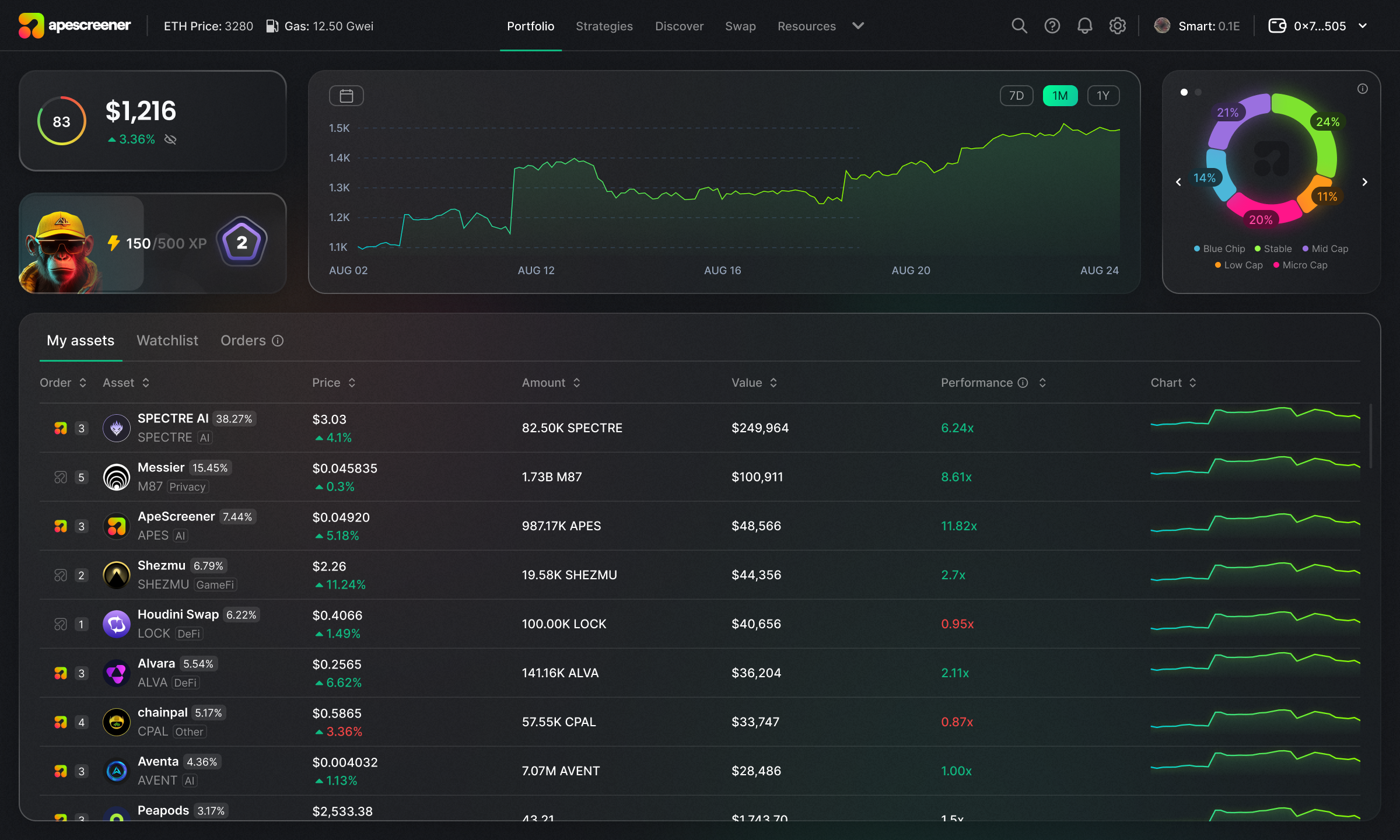
The **portfolio tracker** is the cornerstone of the ApeScreener ecosystem.
\
Designed to be **clear and user-friendly**, it displays all the key information about **your portfolio** in one place:
* Your assets and transaction history with multi-wallet support.
* Their current prices/quantities.
* Your Performance multiplier
* Your P\&L data (Profit & Loss)
* Your Portfolio Health score
* Chart previews (24H) for quick visual reference
* and more
You’ll also find a dedicated page for your **watchlist**, as well as a page showing all the **open and completed orders** from the **Risk Management module**.
## Narrative Breakdown - See What You're Really Holding
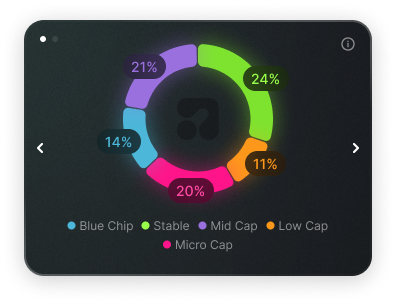
One unique feature of Apescreener is a **dedicated chart that visualizes the narrative composition of your portfolio.**
\
Whether it’s **#AI, #Gaming, #DeFi, #Memecoins,** or other sectors, you’ll instantly see which narratives dominate your holdings.
## Assets Page - Chart and TA
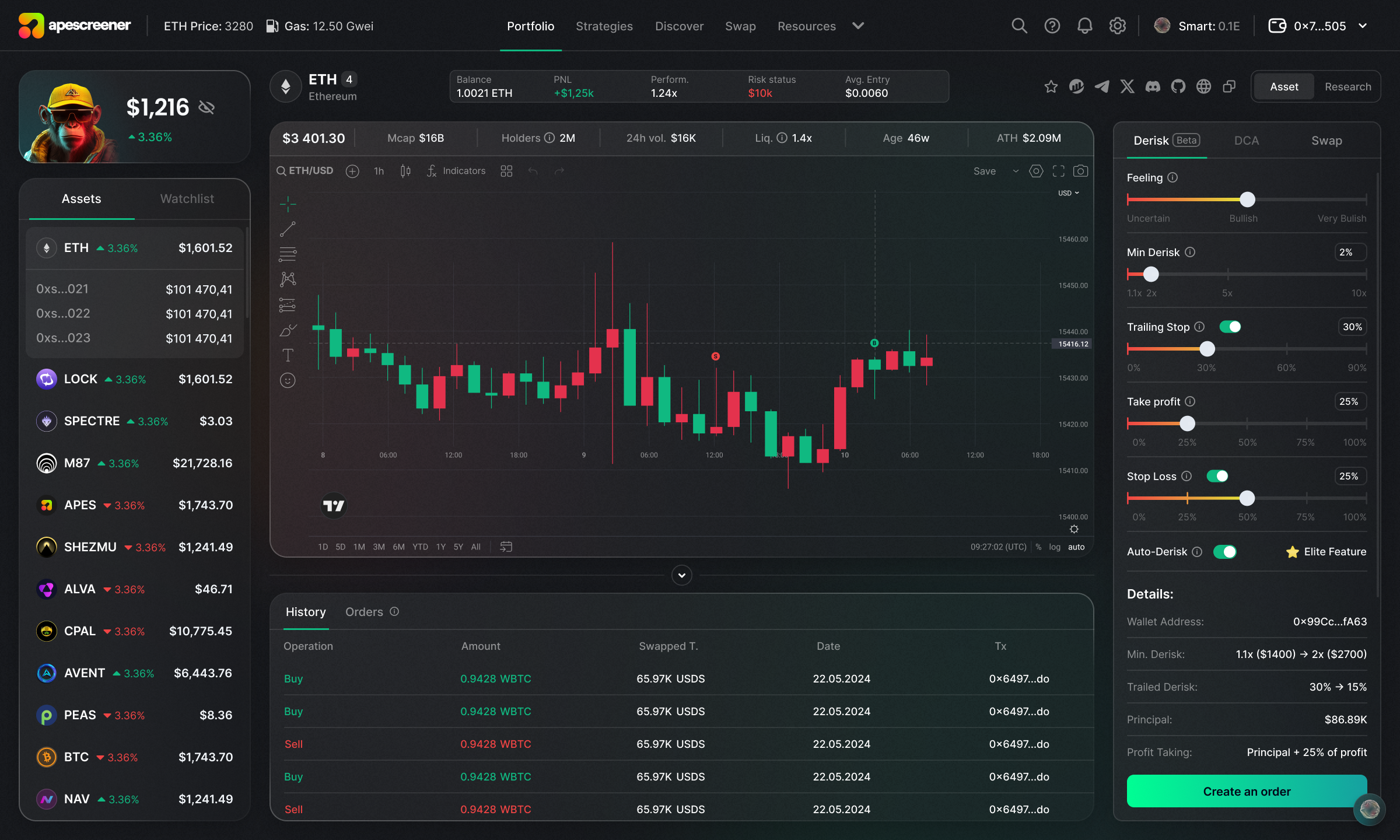
When you open the detailed page of a specific asset (by clicking on any asset from your Portfolio), you’ll be able to view:
* The **risk level** of your position
* Your **average entry** price
* A custom chart showing all your buys, sells, and transfers for that asset
* Full access to **technical analysis tools** (draw charts/lines and more)
* Standard metrics such as **market cap, number of holders, contract taxes, daily volume, token age, ATH, and liquidity pool details**
We’ve focused heavily on **intuitive design**, so you can instantly access all relevant investment information at a glance. Our charts are provided by [TradingView](https://tradingview.com).
🔍 And with just one click, you can jump from the asset page to its dedicated **Research module** to deepen your understanding or stay updated with the latest news.
🔁 Finally, our integrated **Swap feature** allows you to buy or sell any asset directly from its page, giving you **total control over your portfolio without leaving the app**.